 Oleh Krehel
Introduction
avy-jump is a GNU Emacs package for jumping to visible text using a char-based decision tree. See also ace-jump-mode and vim-easymotion - avy-jump uses the same idea.

Command overview
You can bind some of these useful commands in your config.
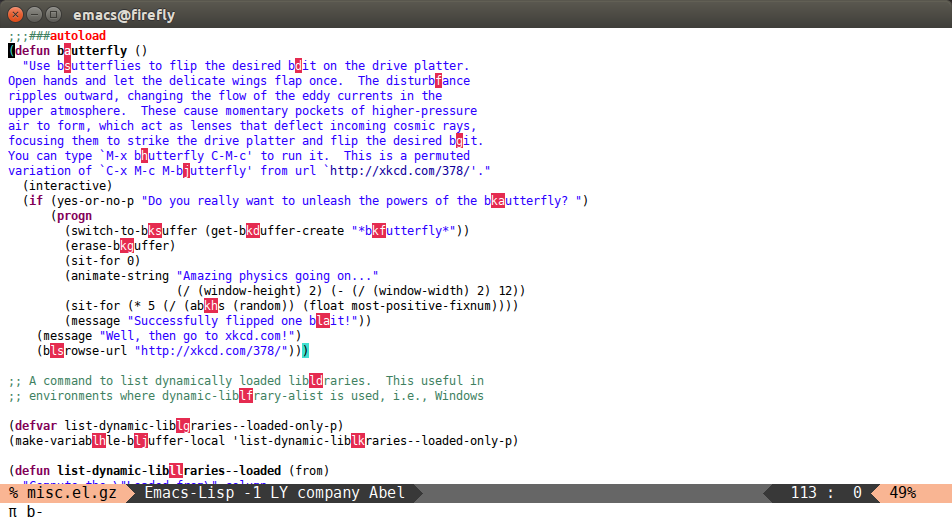
avy-goto-char
Input one char, jump to it with a tree.
(global-set-key (kbd "π") 'avy-goto-char)
After πb:
avy-goto-char-2
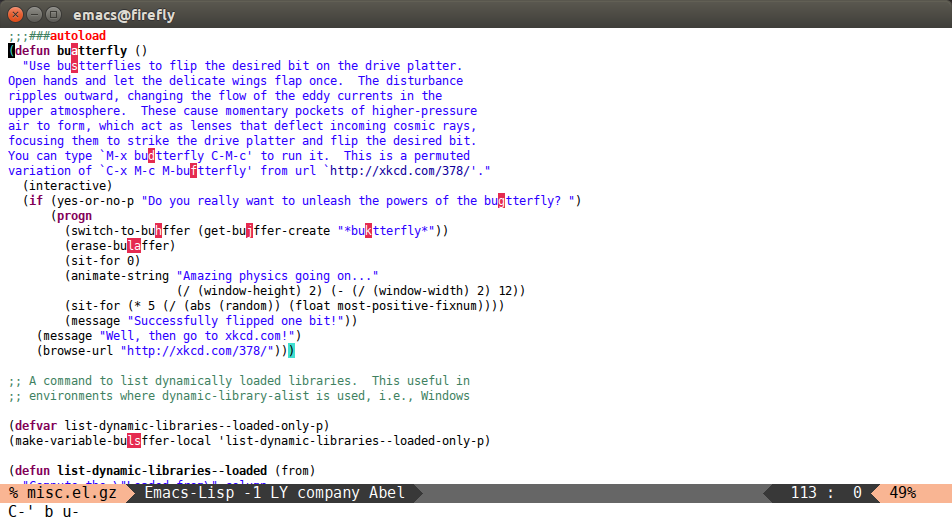
Input two consecutive chars, jump to the first one with a tree.
The advantage over the previous one is less candidates for the tree search. And it's not too inconvenient to enter two consecutive chars instead of one.
(global-set-key (kbd "C-'") 'avy-goto-char-2)
After C-' bu:
avy-goto-line
Input zero chars, jump to a line start with a tree.
(global-set-key (kbd "M-g f") 'avy-goto-line)
After M-g f:
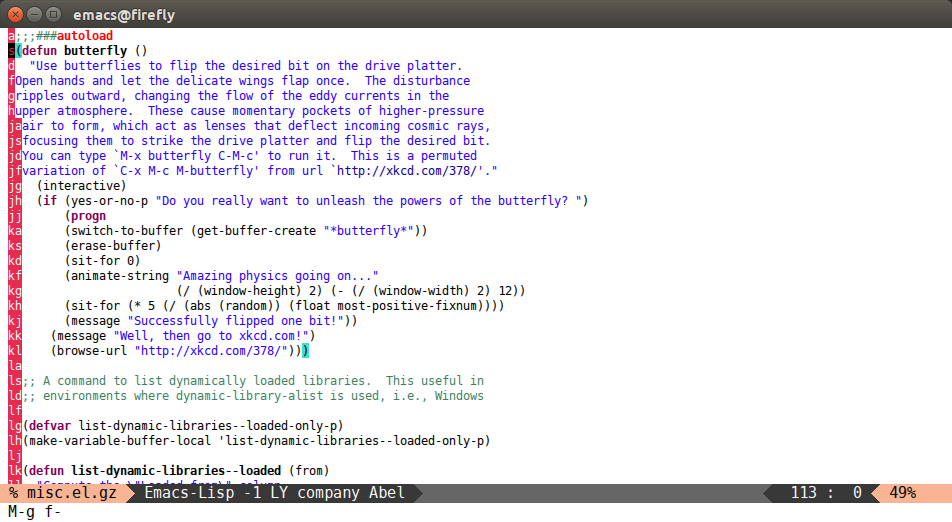
You can actually replace the M-g g binding of goto-line, since if you enter a digit for avy-goto-line, it will switch to goto-line with that digit already entered.
avy-goto-word-1
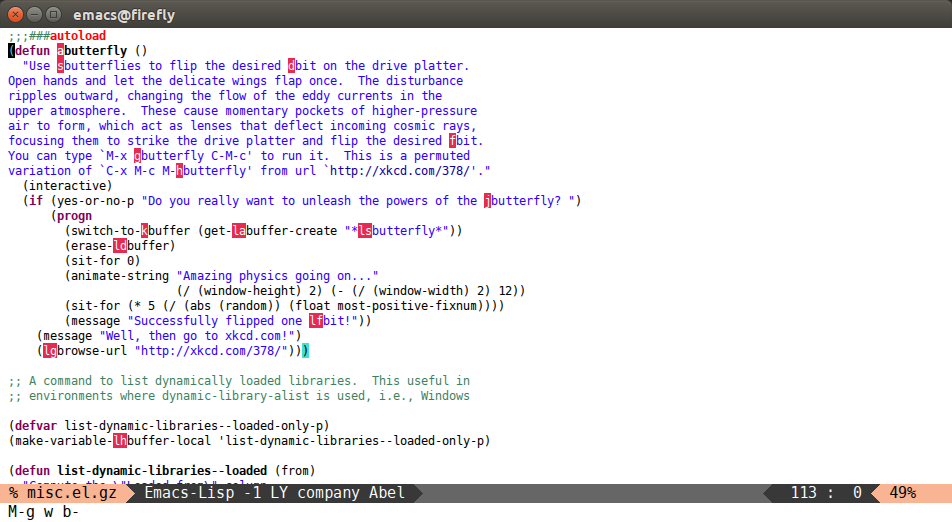
Input one char at word start, jump to a word start with a tree.
(global-set-key (kbd "M-g w") 'avy-goto-word-1)
After M-g wb:
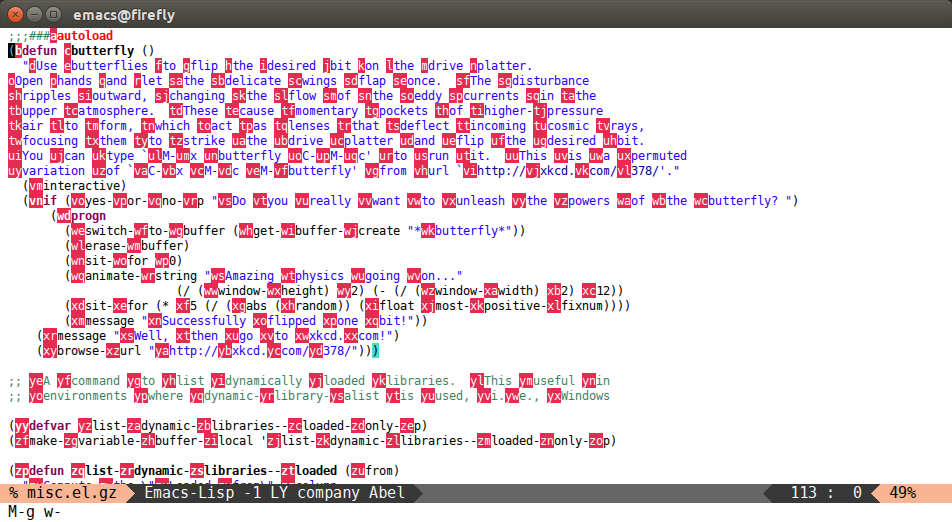
avy-goto-word-0
Input zero chars, jump to a word start with a tree.
Compared to avy-goto-word-1, there are a lot more candidates. But at a least there's not need to input the initial char.
(global-set-key (kbd "M-g e") 'avy-goto-word-0)
After M-g e:
Other commands
There are some more commands which you can explore yourself by looking at the code.
Bindings
You add this to your config to bind some stuff:
(avy-setup-default)
It will bind, for example, avy-isearch to C-' in isearch-mode-map, so that you can select one of the currently visible isearch candidates using avy.
Style customization
There are four styles of overlay functions to choose from. You can choose to use one style for all functions, or you can select a different style for each function. Customize avy-style and avy-styles-alist respectively for this.
The styles to choose from:
- pre: the full path will be displayed before target, leaving all original text
- at: the single character path will be displayed on target, obscuring the target
- at-full: the full path will be displayed on target, obscuring the target and the text behind it
- post: the full path will be displayed after target, leaving all original text
At first it seems that pre and post are advantageous over at and at-full, since you can still see the original text with them. However, they make the text shift a bit. If you don't like that, use either at or at-full.